
Useful contract templates for everyday business
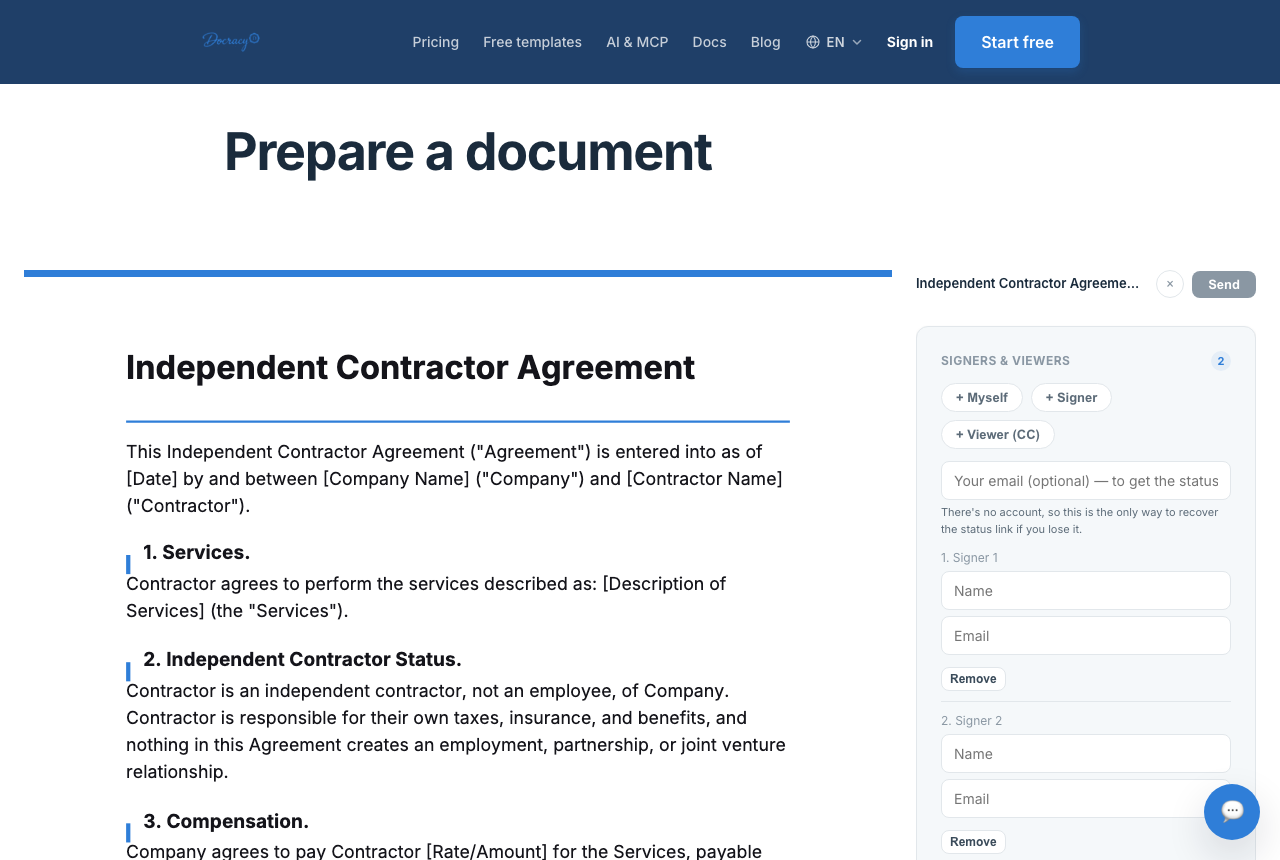

Starting a contract from a blank page is where most delay actually comes from — not the negotiation, not the signing, just staring at an empty document deciding what sections to include. A decent template solves that problem: it's a starting point you edit down to fit the specific deal, not a final answer.
The templates worth keeping on hand
Rather than one generic "contract template," it helps to have a small set built for specific situations, so the starting document already matches the shape of the deal:
- Freelance service agreement
- Scope of work
- Vendor agreement
- Service agreement
- Work order
A quick tour: what each template is actually for
Freelance service agreement
Built for a single provider doing project or ongoing work for a client — covers scope, payment, and basic ownership terms in one document. This is usually the right starting point for freelance and small consulting engagements.
Freelance service agreement template
Scope of work
A companion document rather than a standalone contract in most cases — it itemizes deliverables, milestones, and timeline for one specific project or phase, often referenced by a broader agreement that covers payment and legal terms once.
Vendor agreement
For buying goods or services from an outside vendor — covers delivery terms, pricing, and what happens if a shipment or service falls short of what was promised.
Service agreement
Built for a broader or ongoing service relationship — a retainer or subscription-style arrangement rather than a single deliverable. Covers renewal and cancellation terms that a one-off project template doesn't need.
Work order
A short document for a specific job or task under an existing agreement — common in recurring vendor relationships where a master agreement is signed once, and each new job just needs its own work order referencing it.
How to actually use a template well
The mistake to avoid is sending a template unedited. Every template needs the specific details filled in — names, dates, scope, payment amounts — and any section that doesn't apply to your situation should be cut rather than left in as unused boilerplate. A contract with obviously irrelevant clauses reads as sloppy, even if the core terms are fine. The most common editing mistakes are avoidable with one careful read-through before sending:
- Leaving placeholder text like [CLIENT NAME] or [$AMOUNT] in the final version — proofread the whole document, not just the first page
- Copying a template's payment schedule without changing it to match this specific deal
- Leaving in clauses that don't apply — a template written for hourly work still reads that way if switched to a flat fee without editing the payment section
- Forgetting to update the signer list and signing order for the actual parties involved
- Reusing an old copy that was already edited for a previous client, instead of starting again from the clean template
When a template isn't enough
Templates work well for common, repeatable situations — a freelance project, a standard vendor relationship, a recurring work order. For anything with unusual terms, significant liability, or a large dollar amount, start from a template but have someone review the final version before it goes out.
Saving a template for repeat use
Anyone sending a similar agreement repeatedly — the same freelance service agreement to each new client, the same work order to a recurring vendor — benefits from saving a customized version as a reusable template, available on a paid Docracy workspace. Rather than starting from the public template and re-editing the same fields every time, a saved template keeps the boilerplate fixed and only prompts for what changes: names, dates, and amounts.
Frequently asked questions
Are free contract templates legally valid?
Yes — a template is just a starting structure. What makes any contract enforceable is the same regardless of where the wording came from: clear terms, mutual agreement, and a proper signature from both sides.
Can the same template be reused for every client?
Often, yes, with the specific details swapped in each time — which is exactly why saving a standard template, available on a paid Docracy workspace, is useful for anyone sending the same type of agreement repeatedly rather than re-editing a fresh copy every time.
Why teams start with Docracy
“Docracy is a great product that I have tested and am using. It is easy to use, has good tools, is always up to date, and implements new features. Highly recommended.”— DACH Advisory


Also: Compare e-sign pricing · Free mutual NDA template
No account required for up to 2 signers.