
Best tools for quick signatures
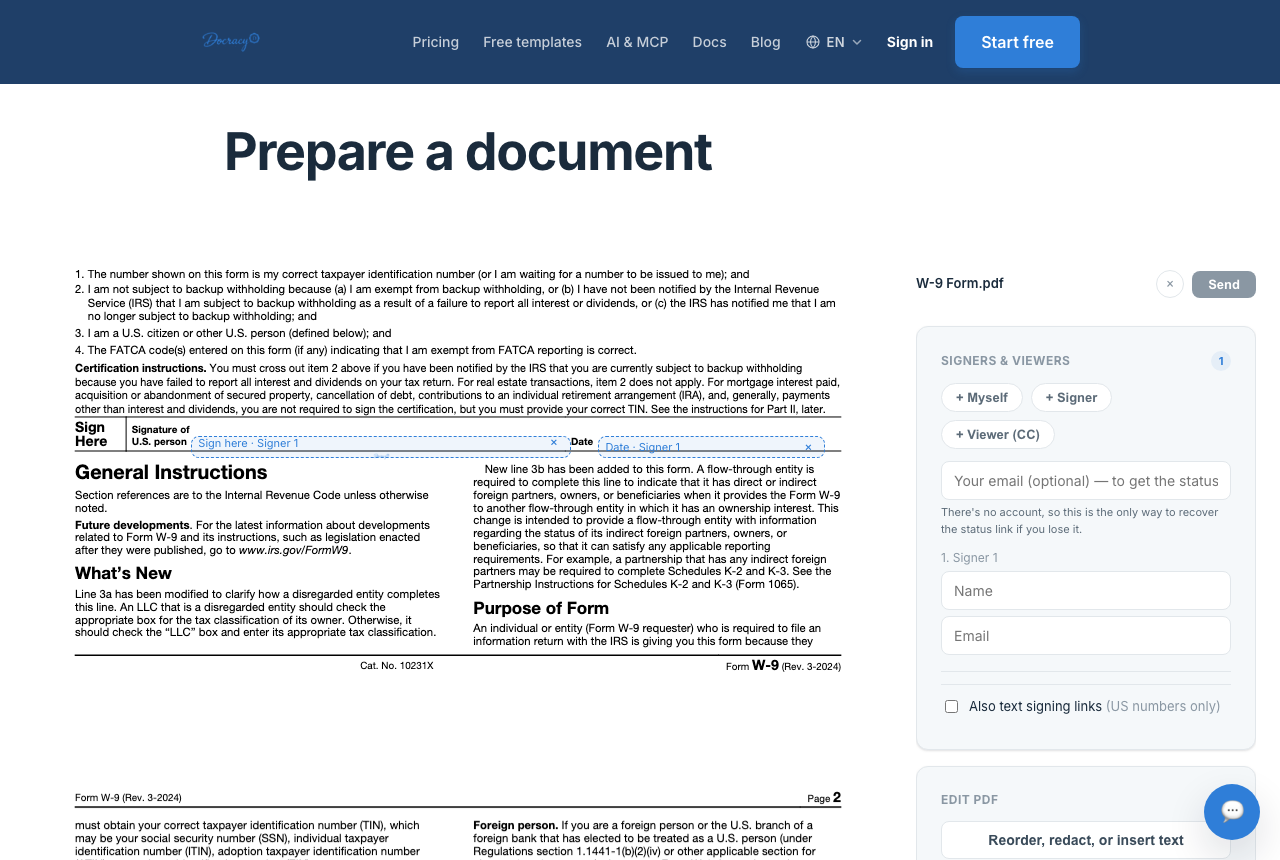

"Best e-signature tool" depends entirely on what you're actually trying to do. A sales team running hundreds of contracts a month needs something very different from a freelancer sending a handful of agreements. Tools differ in complexity, and matching the tool to the job matters more than picking whichever one has the most features.
What actually makes a signing tool "quick"
- No account required for the person signing — an account wall is where a lot of quick deals stall out
- A short path from upload to sent — ideally a minute or two, not a multi-step wizard
- Templates for documents you send repeatedly, so you're not rebuilding the same field layout each time
- A signing experience that works cleanly on a phone, since a lot of signers open the link on mobile
A checklist before you pick a tool
- Does the signer need to create an account, or just open a link?
- Is pricing per-seat, flat-rate, or per-document — and does that match how many people on your side actually need to send documents?
- Can you upload any PDF as-is, or does the tool force you into its own document builder?
- Does it support more than one signer, with real control over sequential vs. parallel order?
- Is there an actual audit trail and a tamper-evident final document, or just a signature image with no record behind it?
- Is there a delivery option besides email for signers who are slow to check their inbox?
Where enterprise tools add friction for small jobs
Tools built for large organizations — DocuSign, Adobe Sign, PandaDoc — tend to bundle e-signature with approval workflows, CRM integrations, and per-seat licensing. Those features are genuinely valuable at scale, but for a single freelancer or small team sending occasional agreements, they mostly show up as extra steps and a bigger bill.
Matching the tool to the scenario
- A freelancer sending a one-off contract to a new client: a free tier with no account required for either side and a two-signer limit fits this almost exactly.
- A small agency sending the same proposal every week: worth paying for saved templates and auto-detect field placement, since a flat monthly fee for that convenience still comes in well under most per-seat enterprise plans.
- A sales team of eight running dozens of contracts a month with multiple internal approvers and a CRM to keep in sync: this is genuinely where DocuSign- or PandaDoc-class tools, with per-seat licensing and integrations, earn their price.
- A landlord or contractor whose signers don't reliably check email: a WhatsApp-based signing link — phone-bound and PIN-protected — reaches people who'd otherwise let an email link sit unopened for days.
The "AI-powered" claim worth double-checking
Several tools, including lightweight ones, market their field-placement feature as "AI-powered." In practice this is usually pattern matching against common phrases in the document's text layer — recognizing something that looks like "Signature:" or "Date:" and dropping a field near it. That's a genuinely useful shortcut for typical contracts, but it's closer to auto-detect than to a system that understands the document. Worth checking the fields it places before sending, especially on anything unusually formatted.
Where a lighter tool makes more sense
Docracy is built for the lighter end of that spectrum: quick, low-stakes agreements between two people who just want it signed. The free tier needs no account for either side on documents with up to two signers, and the paid tier is a flat $10-a-month price rather than a per-seat charge — a better fit when you're sending a dozen documents a month, not a thousand.
Frequently asked questions
Is a free e-signature tool as legally valid as a paid one?
Yes — legal validity comes from the signing process meeting e-signature law requirements (intent, consent, a reliable record), not from the price of the software. Paid tiers typically add convenience features like templates and team access, not extra legal weight.
Does a lightweight tool support more than two signers?
Usually yes, just not for free. Most lightweight tools, including Docracy, move from a free tier to a flat, low monthly fee once you go beyond two signers, rather than charging per additional seat the way enterprise platforms do.
When does it make sense to pay for a heavier platform?
Once you need things a lightweight tool doesn't offer — CRM integration, bulk sending, identity-verified signing, or compliance certifications a regulated industry specifically requires.
See how Docracy compares to DocuSign
Looking for a DocuSign alternative?
Why teams start with Docracy
“Docracy is a great product that I have tested and am using. It is easy to use, has good tools, is always up to date, and implements new features. Highly recommended.”— DACH Advisory


Also: Compare e-sign pricing · Free mutual NDA template
No account required for up to 2 signers.